Enter transactions fast
Start typing a payee and Arbikeep suggests it from your own history, then fills in the category and amount you used last time. Everything works from the keyboard.
Convenience and efficiency. Unlimited accounts, unlimited history, and every feature you need to keep an accurate record of your money.
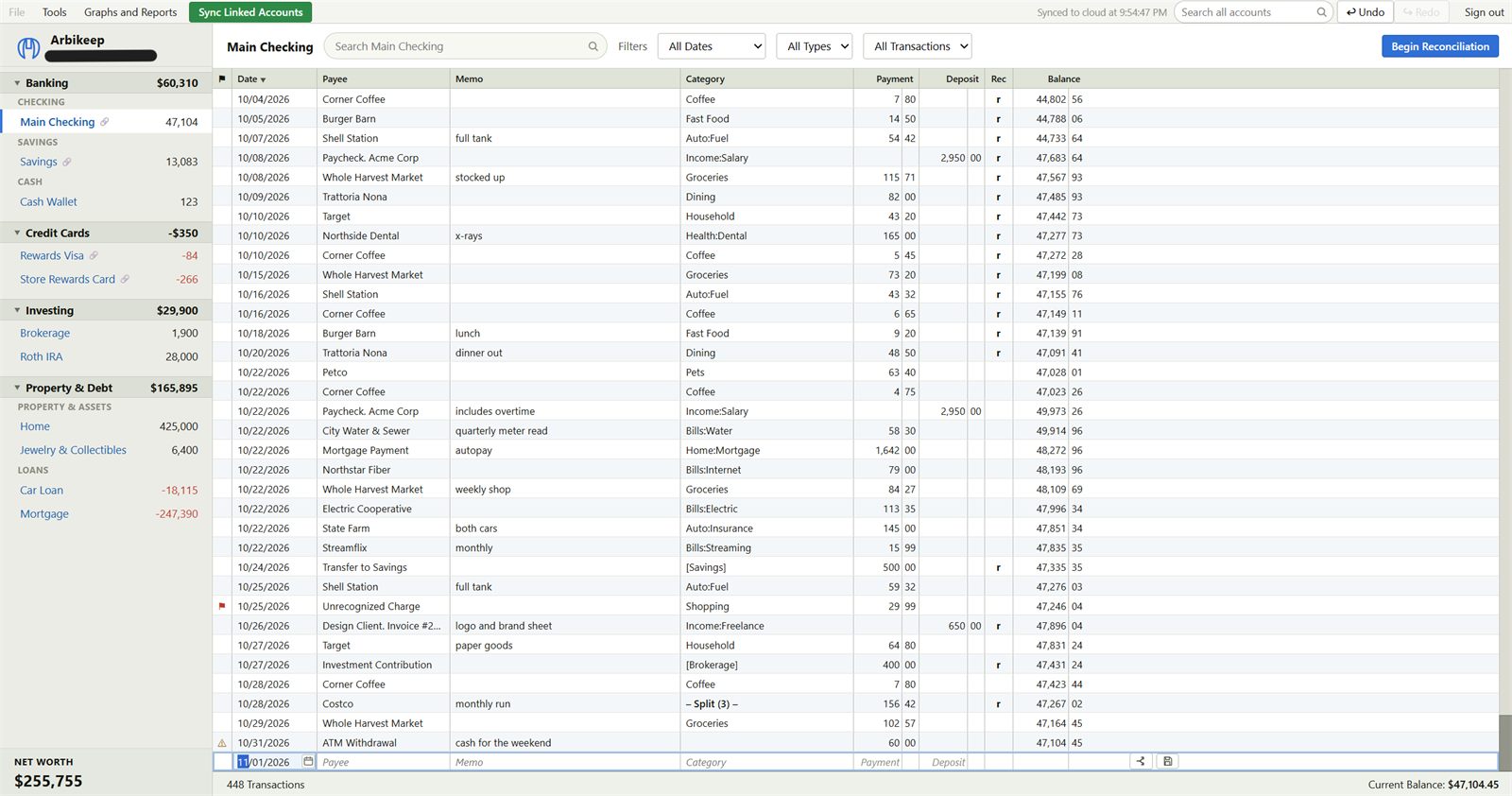
Start typing a payee and Arbikeep suggests it from your own history, then fills in the category and amount you used last time. Everything works from the keyboard.
Enter the ending balance from your statement, tick off the transactions that cleared, and watch the Difference fall to zero. When it hits $0.00, finish. Your register is then proven against the bank's own numbers.
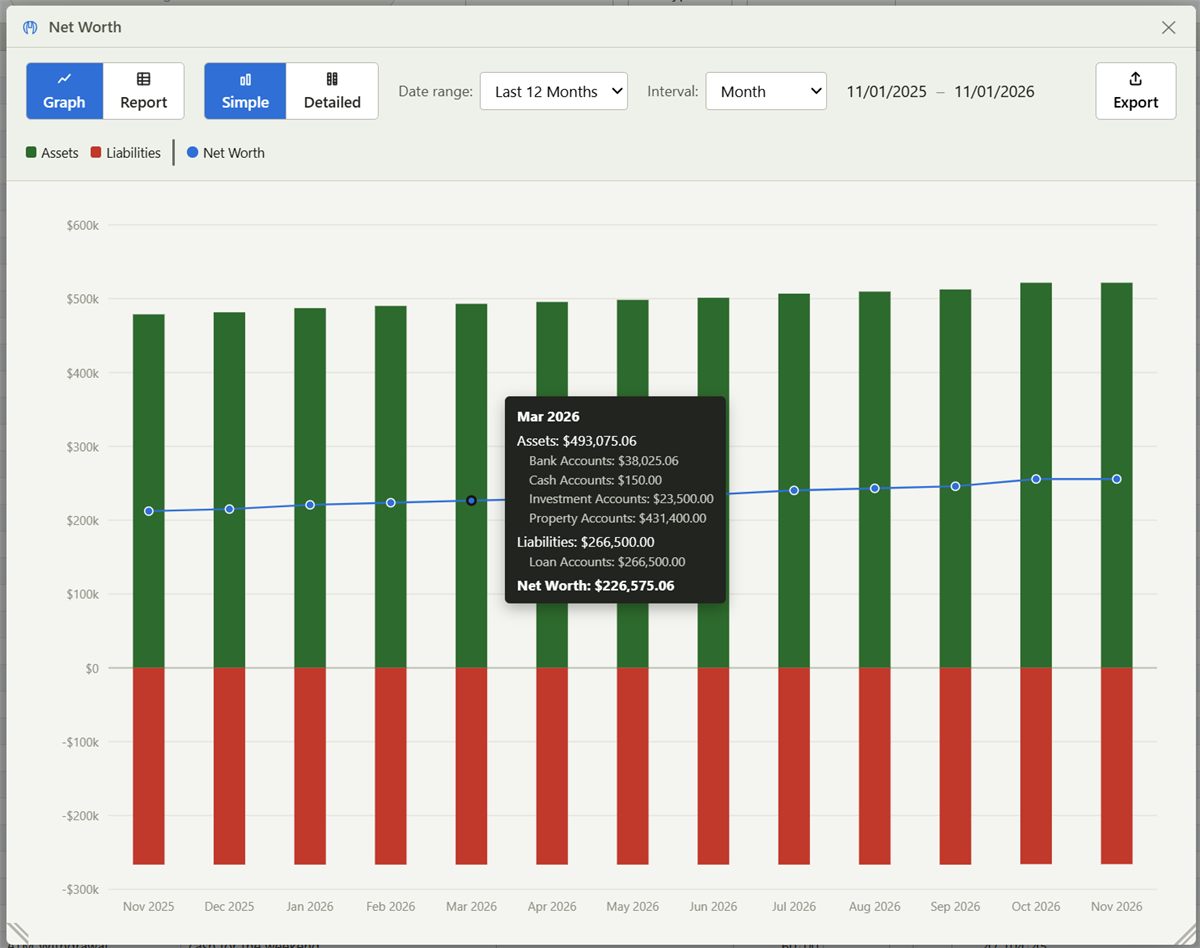
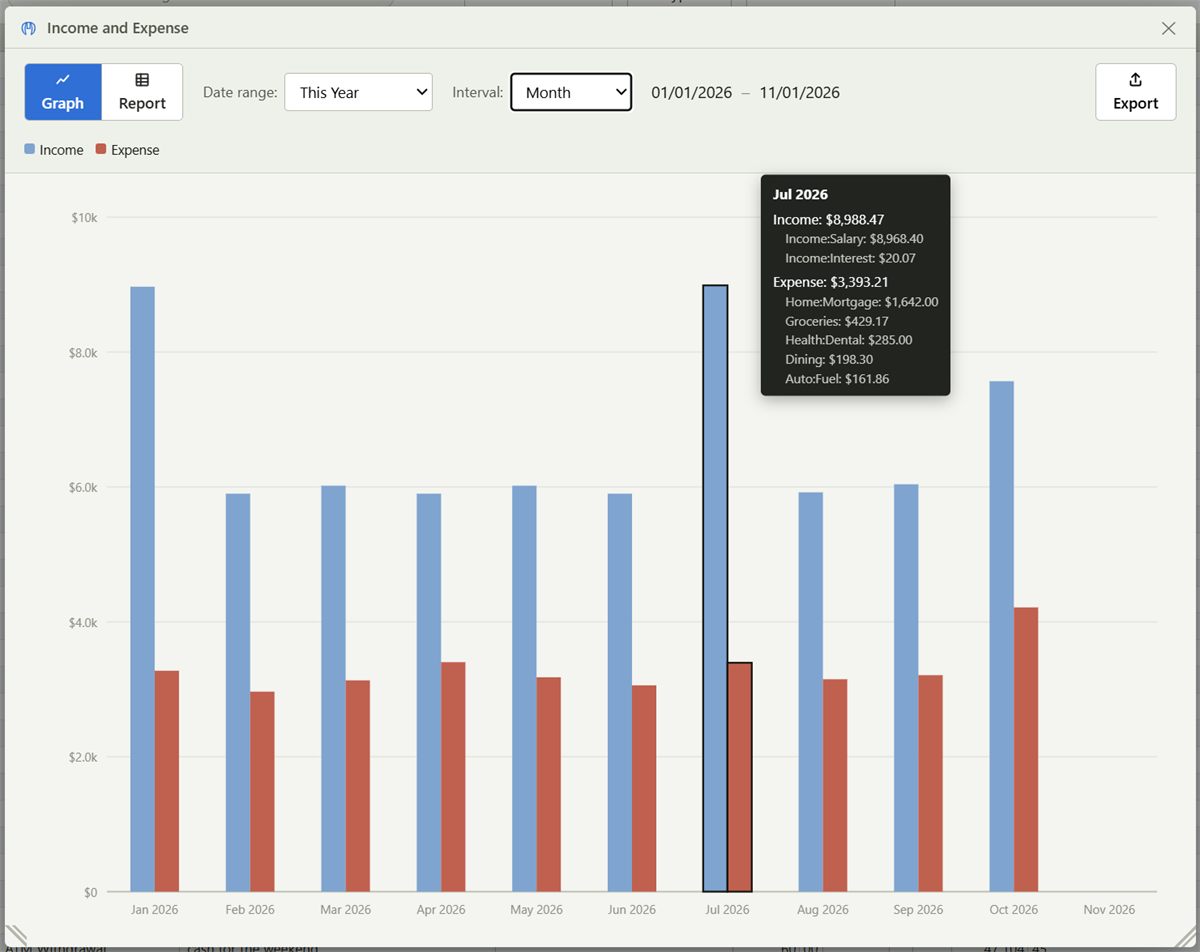
Graph your net worth or income against spending with highly customizable filters. Reports are available as well.
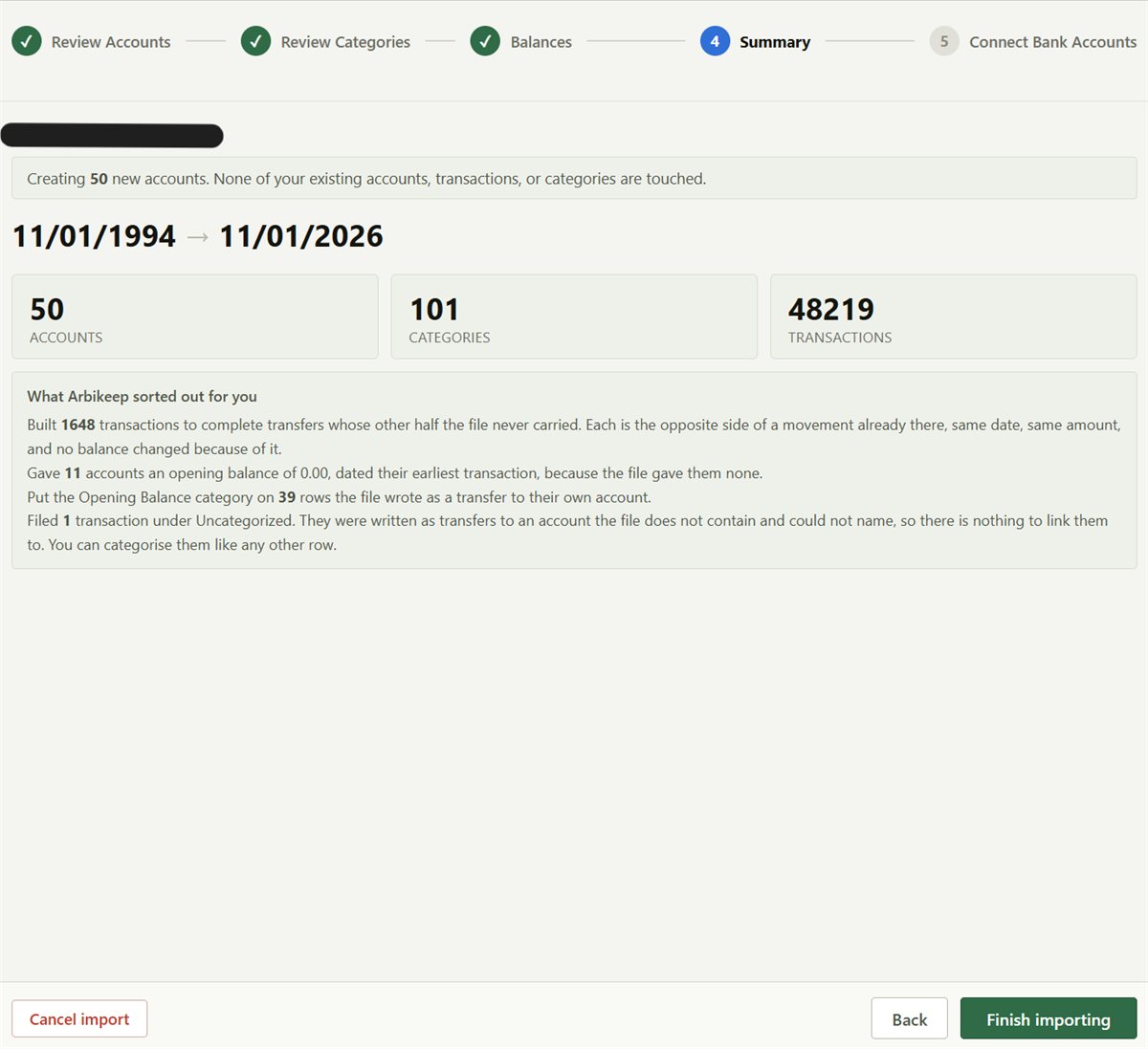
Bring your history with you. Arbikeep reads QIF and OFX files, plus CSV exports from Mint, YNAB, Empower, Monarch, Simplifi and Copilot.
Everything in Arbikeep is free: unlimited accounts, unlimited transactions, unlimited history, reports, reconciliation, import and export.
Arbikeep Sync is the one paid feature. It connects your online bank/credit card accounts to your ledgers so transactions arrive automatically. This ability is possible through a per user subscription I have with Plaid.
Is my bank supported? Type the name of your bank or credit card to see whether Arbikeep Sync can connect to it, before you subscribe.
This comes from Plaid, the service that makes the connection, and shows its status right now. It is a guide, not a promise. A bank can still change how it connects.
Founding member price: $29 per year ($2.42 a month, billed annually) for the first 100 subscribers, and that rate is yours for life. After that, Arbikeep Sync is $49 per year ($4.08 a month). You can cancel any time.
If you would rather not pay, you can still import files from your bank or type transactions in yourself.
You can export any or all of your data, any time, in a format you can use somewhere else. There is no lock-in and no friction on the way out.
Arbikeep runs on Supabase, built on Postgres, the same kind of database serious companies use. Each person's data is kept separate at the database level, so other users can never see yours. Everything is encrypted and backed up automatically.
Yes. Everything is free except automatic bank connections. There are no ads, no storage caps and no history limits.
One person. I built Arbikeep for myself and I run it myself, so if you write to the support address below, I read it.
It is yours. Export everything at any time and keep it. The data pledge sets out what I commit to.
Yes, as the one paid feature. Without it you can import bank files or enter transactions yourself, and everything else works the same.
There is no separate phone app yet. Arbikeep runs in your web browser. A phone app may be added if there is enough interest, so if you want one, write to the support address below and tell me.
Yes. View the demo ledger. It is a full sample ledger, and nothing you change in it is saved.

I spent years tracking my own finances in Quicken, Wave and Excel, and got fed up with constant upselling, minimal storage, restricted exporting and clumsy screens. I wanted every feature I needed with no restrictions, so I built it. Now I am sharing it with anyone who wants it.
Boston